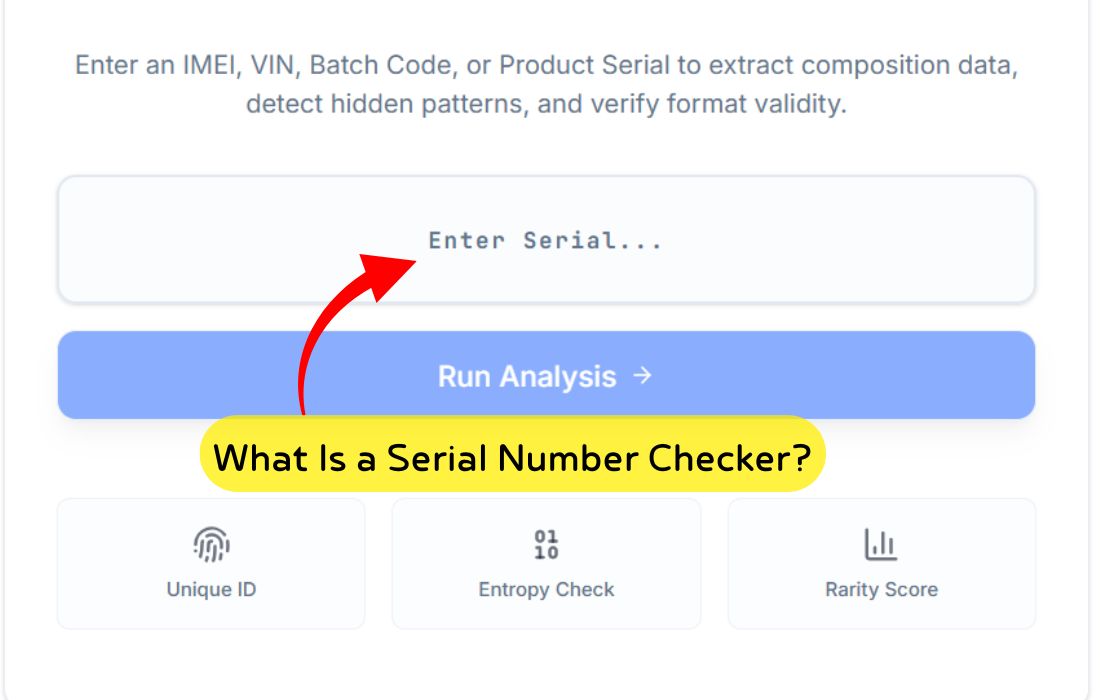
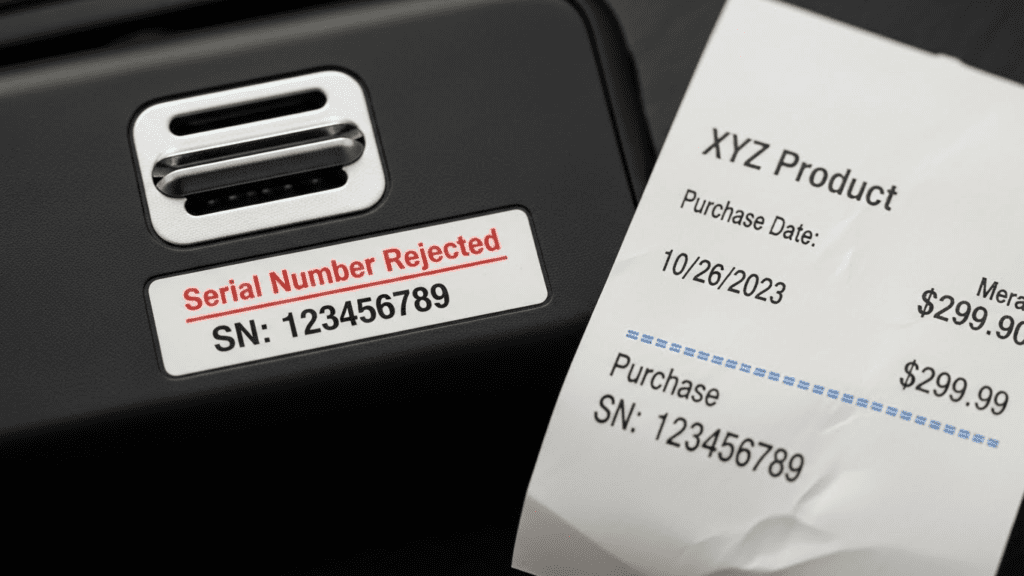
There are few things more annoying than unboxing a new gadget, installing expensive software, or checking a rare banknote, only to be hit with a red error message: “Serial Number Rejected” or “Invalid Serial Number.”
Whether you are trying to activate a warranty, verify a product’s authenticity, or determine the value of a dollar bill, an invalid serial number halts your progress instantly. The good news is that these errors are rarely fatal. In most cases, they are caused by simple formatting errors, misidentification, or system glitches that can be fixed in minutes.
In this guide, we will break down the 12 most common reasons why serial numbers get rejected, provide step-by-step solutions for each, and show you how tools like a Fancy Serial Number Checker can eliminate errors for collectors.
Table of Contents
The Anatomy of a Serial Number Error
Before fixing the issue, it helps to understand what the system is looking for. A serial number is a unique identifier assigned incrementally or randomly to an item.1 When a system triggers a serial number rejected alert, it usually means one of three things:
- Format Mismatch: The characters entered do not match the expected pattern (e.g., letters where numbers should be).
- Database Mismatch: The number does not exist in the manufacturer’s registry.
- Status Conflict: The number exists but is flagged (already registered, expired, or blacklisted).
12 Common Causes for Rejected Serial Numbers (and How to Fix Them)
1. The “O” vs. “0” (and “I” vs. “1”) Confusion
This is the single most common reason for an invalid serial number. Manufacturers often use fonts where the letter “O” looks identical to the number “0,” or the letter “I” looks like the number “1.”
- The Problem: You type a zero, but the system expects the letter O.
- The Fix:
- Check the surrounding characters. If the serial is mostly numbers, try a zero.
- Many modern systems exclude vowels (like O and I) specifically to prevent this. Try swapping every “O” for a “0” and every “I” for a “1” (or vice versa).
2. Confusing the Model Number with the Serial Number
Product labels are crowded with text. It is easy to accidentally enter the Model Number (which is shared by thousands of units) instead of the unique Serial Number.
- The Problem: The system rejects the code because it is recognizing a generic product ID, not a unique unit ID.
- The Fix: Look for prefixes.
- S/N or SN: Serial Number (This is what you want).
- M/N or Model: Model Number (Ignore this).
- P/N: Part Number (Ignore this).
3. Invisible Formatting (Hyphens and Spaces)
Some input forms are smart; they auto-format what you type. Others are strict. If a serial number is printed as A12-345-678, typing A12345678 might cause a rejection.
- The Problem: The database expects hyphens or spaces, but you removed them (or vice versa).
- The Fix:
- Try typing the number exactly as it appears, including dashes.
- If that fails, remove all dashes and spaces and type it as a single block of text.
4. Buying “Gray Market” Items (Regional Locks)
This is common with cameras, phones, and game consoles. If you buy a camera intended for the Asian market but try to register it on the US website, you will get a serial number rejected error.
- The Problem: The serial number is valid, but not for the region where you are attempting to register it.
- The Fix: Check the warranty card in the box. If the text is in a different language, visit the manufacturer’s site for that specific region to register the device.
5. The Product is Already Registered
If you bought a “refurbished,” “open-box,” or second-hand item, the previous owner may have already claimed the serial number.
- The Problem: Unique serial numbers can usually only be registered to one account at a time.
- The Fix:
- Software: You may need to ask the seller to “deactivate” the license on their end.
- Hardware: Contact customer support with your proof of purchase to request a transfer of ownership.
6. Illegible or Worn Labels
On older devices or circulated banknotes, the ink may have faded or rubbed off. Guessing the missing digits often leads to rejection.
- The Problem: Physical wear makes it impossible to read the correct string.
- The Fix:
- For Electronics: Check the device settings. (e.g., On an iPhone, go to Settings > General > About).
- For Software: Check your email receipt or order history rather than the physical card.
- For Banknotes: Hold the note up to a light source; sometimes the impression of the type is visible even if the ink is faded.
7. Pirated or Blacklisted Software Keys
If you purchased a cheap software key from a third-party marketplace, the developer might have flagged that batch of keys as stolen or unauthorized.
- The Problem: The serial number was valid once but has been blacklisted by the server.
- The Fix: There is no technical fix. You must contact the seller for a refund or purchase a legitimate key from the official store.
8. Case Sensitivity
While most modern systems are not case-sensitive, some legacy systems and secure banking portals still are.
- The Problem: Typing
abc123instead ofABC123. - The Fix: Always engage CAPS LOCK when entering serial numbers unless explicitly told otherwise.
9. Temporary Server Outages
Sometimes the problem isn’t you; it’s them. If a manufacturer’s authentication server is down, valid numbers will appear as invalid.
- The Problem: The database cannot be reached to verify your input.
- The Fix: Wait 15–30 minutes and try again. Check the company’s social media pages for downtime announcements.
10. OCR Scanning Errors (Currency & Apps)
If you are using an app to scan a barcode or a banknote serial number, lighting and angle matter.
- The Problem: The Optical Character Recognition (OCR) software misreads a “B” as an “8” or a “Q” as a “0”.2
- The Fix:
- Clean your camera lens.
- Place the item on a flat, solid-colored background.
- Switch to manual entry if the scanner fails twice.
11. The “Not Fancy” Rejection (Currency Collecting)
In the world of banknote collecting, users often input serial numbers into valuation sites to see if they are valuable. If the site says “Rejected” or “No Value,” it doesn’t mean the serial is fake—it means it isn’t “fancy.”
- The Problem: The serial number is mathematically boring (no patterns, repeaters, or low numbers).
- The Fix: Use a specialized Fancy Serial Number Checker to understand why it wasn’t flagged as special (more on this below).
12. Using the Wrong Product Category
Trying to register a “Pro” version serial number on a “Home” version software installer will result in an immediate error.
- The Problem: The serial number follows a different algorithm than the software installed.
- The Fix: Verify that the software version installed matches the version you purchased exactly (e.g., Windows 10 Home vs. Windows 10 Pro).
Troubleshooting Cheat Sheet
If you are in a rush, use this table to quickly diagnose why your serial number is rejected.
| Error Message | Likely Cause | Quick Fix |
| “Invalid Format” | Typos, O/0 confusion, or hyphens. | Check for O vs 0. Try adding/removing dashes. |
| “Key Already in Use” | Second-hand or refurbished item. | Contact Support to transfer ownership. |
| “Product Not Found” | Wrong Model Number or Region. | Verify you aren’t typing the Model ID. Check region. |
| “Code Expired” | Limited-time redemption window. | Check expiration date on the voucher. |
| “Server Error” | Website connection issues. | Wait 30 minutes and refresh. |
| “Not a Star Note” | Currency: It’s a standard bill. | The bill is valid legal tender but has no collector value. |
How a Fancy Serial Number Checker Reduces Errors
For currency collectors (numismatists), serial numbers are everything. A “Fancy Serial Number” (like 00000001 or 12345678) can make a $1 bill worth hundreds. However, human error is high when manually checking millions of bills.
This is where a Fancy Serial Number Checkers becomes essential. It is a specialized tool that analyzes the string of digits on a banknote to determine its rarity.
Why Manual Checking Fails:
- Pattern Blindness: It is hard to spot a “scrambled ladder” (e.g., 81237654) with the naked eye.
- Subjectivity: You might think a number looks cool, but the market (and the algorithm) rejects it as common.
How the Tool Fixes It:
- Instant Validation: You type the 8-digit code; the checker instantly runs it against known rarity patterns (Solids, Radars, Repeaters).
- Strict Logic: It removes the “maybe” factor. The serial is either fancy, or it isn’t.
- Valuation Context: A good checker explains why a serial is accepted or rejected as valuable, educating the user on what to look for next time.
Pro Tip: When using a Fancy Serial Number Checker, ensure you enter the leading zeros. A serial number on a bill is always 8 digits (in the US). Typing
543instead of00000543may cause an invalid result.
What to Do If Your Serial Is Still Invalid
If you have tried all the fixes above—swapped your O’s for 0’s, checked the region, and removed the hyphens—and the system still rejects you, follow these steps to fix serial issues permanently.
Step 1: Photograph Everything
Take a clear photo of the serial number on the device/product and a photo of your purchase receipt. You will need these for proof of ownership.
Step 2: Locate the “Hard” Serial
On computers and phones, the printed sticker might be wrong (or swapped during a repair). Always check the serial number via the software:
- Windows: Open Command Prompt and type
wmic bios get serialnumber.3 - Mac: Click the Apple Menu > About This Mac.
- Android/iOS: Settings > About Phone.
Step 3: Contact Support with the “Magic Phrase”
Don’t just say “it doesn’t work.” When you contact support, say:
This saves time by providing all necessary evidence upfront.
Frequently Asked Questions (FAQs)
1. Why does my serial number say invalid when it’s correct?
This is usually due to the “O vs. 0” or “I vs. 1” confusion. Try swapping letters for numbers. If that fails, the product might be a “gray market” import not meant for your region’s registry.
2. How do I fix an invalid serial number on a warranty claim?
If the online form rejects you, do not panic. Call the manufacturer’s support line. They can manually override the system if you email them a copy of your receipt and a photo of the device’s sticker.
3. Can a serial number expire?
Hardware serial numbers do not expire, but the window to register them for warranty often does (usually 30 to 90 days after purchase). Software activation keys can expire if they were promotional or subscription-based.4
4. What implies a serial number rejected on a banknote?
In currency collecting, a “rejected” serial number simply means the sequence of numbers is not rare enough to carry a premium value over the face value of the bill. It is still valid money.
5. Are serial numbers case-sensitive?
Rarely. 95% of systems treat abc and ABC the same. However, it is best practice to use uppercase letters to avoid ambiguity.
6. Why is my Adobe/Microsoft serial number revoked?
This typically happens if the key was purchased from an unauthorized reseller who sold volume-license keys to individuals. The company eventually detects this and blocks the keys.
7. Where can I find the serial number if the sticker is gone?
Check the original box, the receipt, or the device’s internal settings menu. If you registered it previously, check your email for a “Registration Confirmation.”
8. Do dashes matter in serial numbers?
It depends on the specific form. If you are getting an error, try the opposite of what you are doing (add dashes if you haven’t, remove them if you have).
9. Can I fake a serial number to get software?
No. Modern software uses “activation servers” that check the serial against a live database. Using a fake generator will result in an “Invalid Serial” or “Activation Failed” message.
10. What is a “Ghost” serial number?
This refers to a database error where a valid product was never scanned into the inventory system at the factory. It exists physically but not digitally. Customer support must manually add it.
11. Why does the Fancy Serial Number Checker reject my Star Note?
Star notes are valuable, but not all checkers look for them by default. Some checkers only look for numeric patterns (like 12345678). Ensure your checker has a “Star Note” toggle or features.
12. Is it safe to share my serial number online?
No. A scammer can use your valid serial number to file a false warranty claim, report the device as stolen, or register it to their own account, locking you out.5
Conclusion
A rejected serial number is rarely a sign of a broken product; it is usually a sign of a picky system. By checking for typos, verifying you aren’t entering a Model Number, and understanding the quirks of database logic, you can solve 90% of these issues on your own.
Whether you are securing a warranty for a new laptop or checking a dollar bill for a hidden fortune, accuracy is key. Take a breath, wipe off the camera lens, double-check that “O,” and try again.