You’ve just bought a used phone online, or maybe you’re looking at a deal for a vintage guitar that seems too good to be true. A nagging question pops into your head: “Is this real?”
You aren’t alone. Every day, thousands of people search for ways to check serial numbers online because they are worried about getting scammed, buying stolen goods, or ending up with a cheap knockoff.
The good news? Verifying a product is easier than you think. You don’t need to be a tech wizard or hire an investigator. All you need is the serial number and the right tool.
This guide will walk you through exactly how to find, understand, and verify serial numbers safely. By the end, you’ll know how to spot a fake and buy with confidence.
Table of Contents
What Is a Serial Number? (Beginner Explanation)
Think of a serial number like a fingerprint for a product.
Just as no two people have the exact same fingerprints, no two products from the same manufacturer have the exact same serial number. It is a unique code assigned to a single item to identify it specifically.
Why do manufacturers use them?
Companies use these codes to track an item’s entire life. It helps them know:
- When it was made.
- Where it was built.
- Who bought it (if it was registered).
- Warranty status (how much repair coverage is left).
Serial Number vs. Model Number
This is the most common confusion for beginners.
- Model Number: Identifies what kind of product it is (e.g., iPhone 13). Thousands of phones will have the same model number.
- Serial Number: Identifies that specific phone in your hand. Only one phone in the world has that serial number.
Real-World Example:
Imagine a parking lot full of 2023 Toyota Camrys.
- They all share the same Model (Toyota Camry).
- But each car has a unique VIN (Vehicle Identification Number), which is just a fancy name for a serial number.
What Does an Online Serial Number Check Actually Do?
When you use a tool to verify serial number data, you are essentially asking a database a question: “Does this code exist, and what does it belong to?”
What it CAN do:
- Confirm specs: It can tell you the color, storage capacity, or manufacture date associated with that number.
- Check warranty: It tells you if the manufacturer will still fix it for free.
- Check status: For phones, it can tell you if the device is blacklisted (reported lost or stolen).
What it CANNOT do:
- Guarantee 100% physical authenticity: Sophisticated scammers sometimes copy a real serial number from a genuine product and print it on a fake one (this is called “cloning”).
- Tell you who owns it: For privacy reasons, a serial check will never give you the name or address of the previous owner.
Key Takeaway: A serial lookup guide helps you spot inconsistencies. If you are holding a blue phone, but the serial number lookup says it should be gold, you are likely looking at a fake or a tampered device.
Step-by-Step: How to Check Any Serial Number Online
Follow this simple process to verify almost any product.
Step 1: Find the Serial Number
Locate the string of numbers and letters on your item. (See the next section if you can’t find it).
Step 2: Visit a Trusted Serial Checker
Go to a reputable website designed for serial validation. (If you are using our tool, you are already in the right place!).
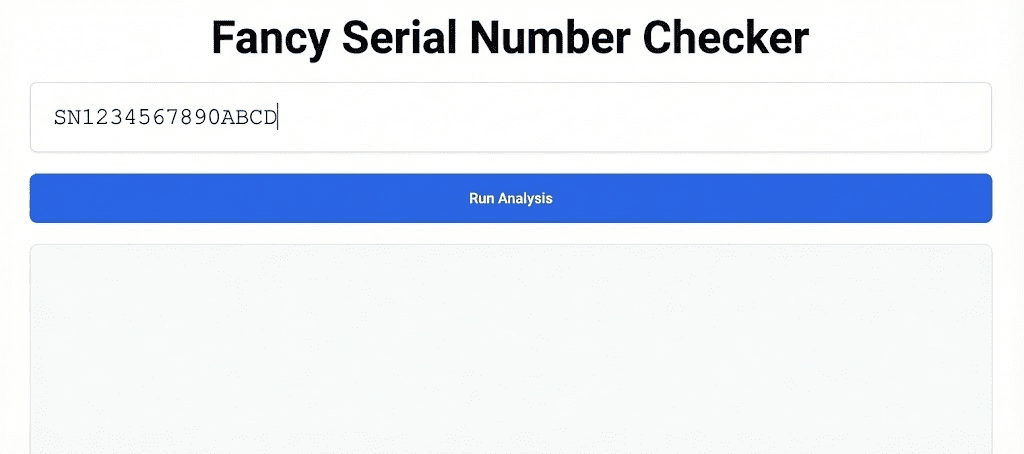
Step 3: Enter the Serial Correctly
Type the characters exactly as they appear.
- Watch out for lookalikes: It is very common to confuse the letter ‘O’ with the number ‘0’, or the letter ‘I’ with the number ‘1’.
- Case sensitivity: Usually doesn’t matter, but using uppercase is safer.
Step 4: Run the Check
Click the “Search,” “Check,” or “Verify” button. The system will query the database.
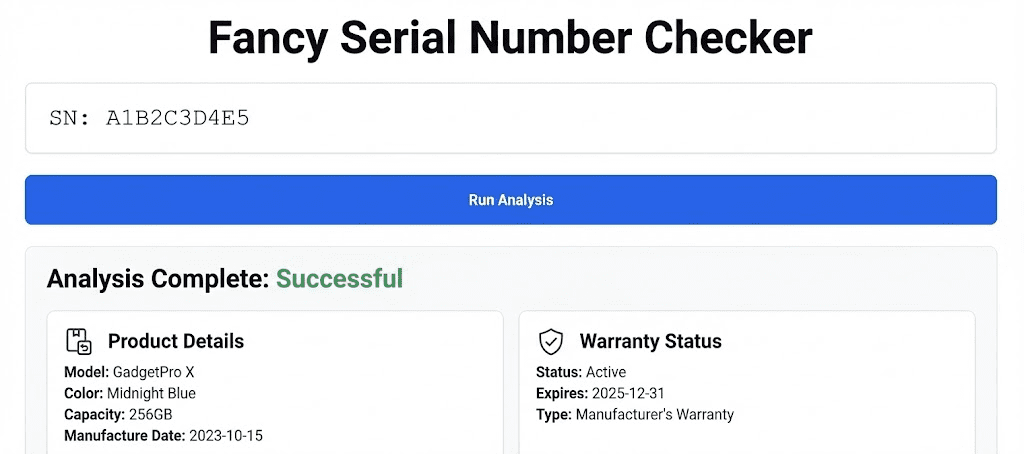
Step 5: Understand the Results
Review the data returned.
- Valid Result: You will see details like “Model: X, Date: Y.” Compare this to the item in your hand.
- Invalid/Not Found: Double-check your typing. If it’s still not found, the product might be fake.
Where Can You Find Serial Numbers? (With Examples)
Serial numbers love to hide. Here is where to look based on what you are checking.
📱 Electronics (Phones, Laptops, Tablets)
- On the device: Usually printed on the back or bottom.
- In Settings: Go to Settings > General > About (for most phones).
- On the SIM tray: Some phones print the IMEI/Serial on the SIM card tray.
- The Box: Almost always printed on a sticker on the original packaging.
🚗 Vehicles
- Dashboard: Look through the windshield on the driver’s side.
- Driver’s Door: On the sticker inside the door jamb.
- Registration: It will be listed as the VIN on your insurance or title documents.
💿 Software
- Email: If you bought digital software, the key is usually in the confirmation email.
- Inside the App: Look under Help > About.
🏠 Appliances (Fridges, Washers)
- Inside the door: Look for a sticker just inside the door frame.
- Back panel: Often printed on a metal plate on the back.
🎸 Tools & Musical Instruments
- Headstock: On guitars, it’s often on the back of the headstock.
- Motor housing: On power tools, look for the data plate on the motor body.
👜 Luxury Goods (Bags, Watches)
- Watches: Often engraved on the case back or between the lugs (where the strap connects).
- Bags: Look for a leather tag sewn inside a pocket or verify the authenticity card.
Pro Tip: If the sticker looks peeled, altered, or messy, be very suspicious. High-quality manufacturers apply these labels perfectly.
Industries Where Serial Number Checking Is Common
Different industries rely on product authenticity check tools for different reasons. Here is a quick breakdown:
| Industry | Why Check? | Common Risk |
| Electronics | To check for stolen (blacklisted) devices and activation locks. | Buying a phone that stops working a week later. |
| Automotive | To check accident history and mileage accuracy. | Buying a car with hidden crash damage. |
| Luxury Goods | To prove authenticity and value. | Paying $2,000 for a $50 counterfeit bag. |
| Software | To activate the program legally. | Buying a “cracked” key that gets banned. |
| Medical Devices | Patient safety and recall tracking. | Using a device that was recalled for safety issues. |
| Construction Tools | To track inventory and recover stolen equipment. | Buying stolen tools that police might confiscate. |
How Fancy Serial Number Checker Helps
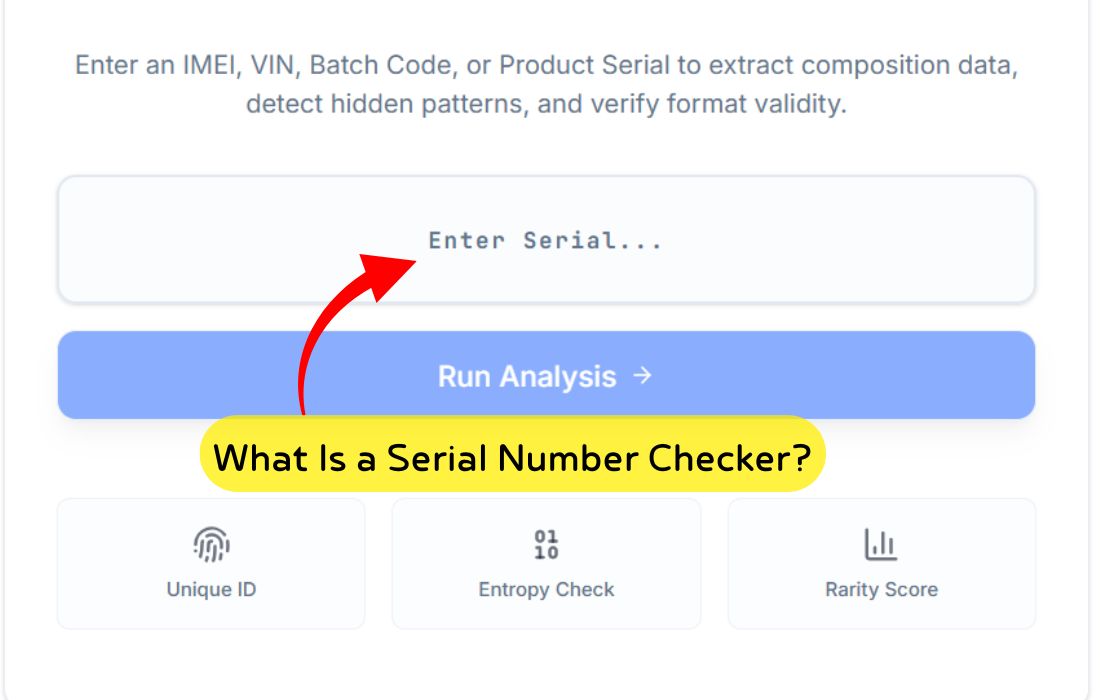
We built the Fancy Serial Number Checker because we realized most manufacturer websites are confusing, slow, or hard to find.
Our goal was to make serial number verification as easy as a Google search.
- Beginner-Friendly: You don’t need to know technical jargon. Just type and search.
- One-Stop Shop: Instead of bookmarking 50 different manufacturer pages, you can start here.
- Privacy-First: We don’t store your personal data or track who you are.
- Fast: Get results in seconds, not minutes.
You don’t need to create an account or provide an email to run a basic check. We believe safety should be accessible to everyone.
Common Problems & Troubleshooting Guide
Sometimes, you click “Check” and get an error. Don’t panic! Here is what usually goes wrong.
1. “Serial Number Not Found”
Cause: The most common reason is a typo.
Fix: Check for “O” vs “0” or “B” vs “8”. Also, ensure you aren’t entering the Model Number by mistake.
2. “Invalid Format”
Cause: You may have included spaces, dashes, or special characters.
Fix: Enter only the alphanumeric characters.
3. “Service Unavailable”
Cause: The manufacturer’s database might be down for maintenance.
Fix: Wait 15 minutes and try again.
4. Item is Vintage/Old
Cause: Many manufacturers didn’t digitize records for products made before the 1990s or 2000s.
Fix: You may need to contact the manufacturer’s archive department directly or visit a collector’s forum.
Safety & Privacy Best Practices
Is it safe to use an online serial checker? Generally, yes—but you should follow these rules.
🛡️ What Data Is Safe to Share?
Sharing a serial number is generally safe. It does not give anyone access to your bank account, address, or passwords. It only identifies the object.
❌ What NOT to Share
Never share a serial number publicly (like in an eBay listing photo) before you sell the item. Scammers can steal that valid number and use it to file fake warranty claims or clone it onto a fake device.
How to Identify Trustworthy Tools
- Secure Connection: Look for the lock icon (HTTPS) in the browser bar.
- No Personal Info: A basic checker shouldn’t ask for your credit card or home address just to look up a number.
- Clear Policies: They should have a privacy policy link at the bottom of the page.
Fancy Serial Number Checker adheres to strict privacy standards. We process the search to give you the data, and that’s it.
Frequently Asked Questions (FAQs)
Here are the most common questions beginners ask about serial validation.
1. Can serial numbers be fake?
Yes. Counterfeiters sometimes copy a real serial number from a genuine product and print it on a fake one. This is why you should always compare the specs (color, model) in the search results to the item in your hand.
2. Can a serial number identify me personally?
No. The serial number identifies the product, not the person. Unless you voluntarily registered the product with your name and address in a manufacturer’s database, the number itself holds no personal data.
3. Is checking serial numbers legal?
Absolutely. It is public information printed on the device. Checking it is a standard part of due diligence when buying used goods.
4. Why does my serial number show no result?
It could be a typo, a very new product that hasn’t hit the database yet, a very old product, or a fake.
5. Can I check old products?
It depends on the brand. Some luxury brands (like Gibson guitars or Rolex) have records going back decades. Electronics usually only have records for 5–10 years.
6. What is the difference between IMEI and Serial Number?
IMEI is a specific type of serial number used only for devices that connect to cellular networks (like phones). A serial number is a broader term for any product.
7. Does a serial check tell me if a phone is unlocked?
Sometimes. Comprehensive checks (often paid services) can tell you carrier lock status, but basic free checks often only confirm the model and warranty.
8. Can I find a lost device using the serial number?
Generally, no. You cannot “ping” a serial number to find a GPS location. However, you can give the number to the police so they can return it to you if they recover it.
9. Do all products have serial numbers?
Most high-value electronics, vehicles, and appliances do. Cheap commodities (like a simple toaster or a pack of pens) usually do not.
10. Can I check a stolen item database?
Yes. There are specific databases (often regional) where users report stolen serial numbers. If a check flags an item as “Blacklisted,” do not buy it.
Conclusion: Verify Before You Buy
The world of online buying is amazing, but it requires a little bit of caution. Taking thirty seconds to check a serial number online can save you hundreds of dollars and a lot of headaches.
Whether you are buying a used iPhone, a vintage handbag, or a car, the serial number is your best friend. It cuts through the sales talk and gives you the hard data.
Ready to verify your item?
Don’t guess—know for sure. Scroll back up to our search bar, enter your code, and let Fancy Serial Number Checker give you the peace of mind you deserve.